
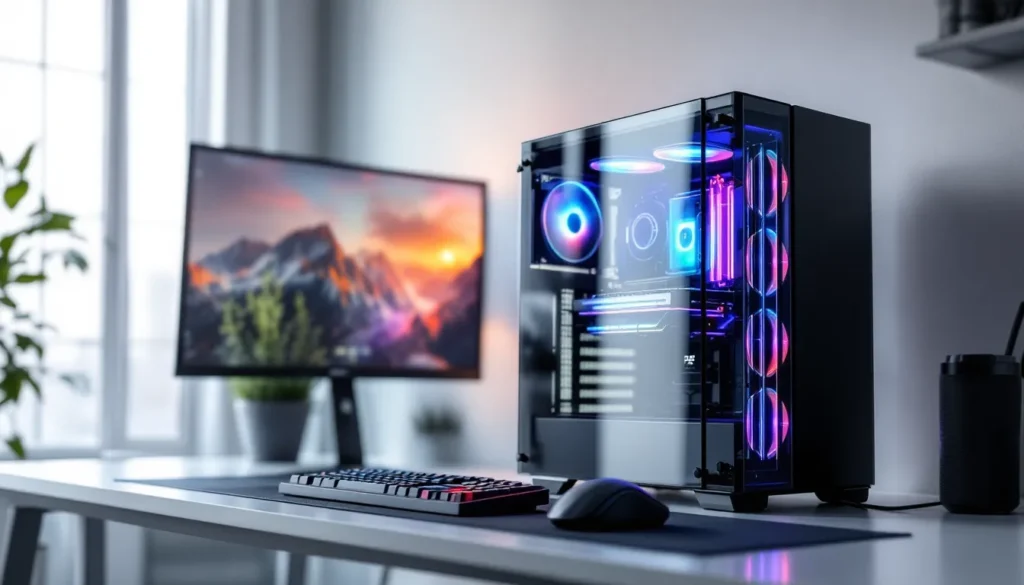
The PC gaming market has shifted dramatically. Building your own rig used to be the only smart play, prebuilts meant overpriced boxes with sketchy components. Not anymore. In 2026, major manufacturers are shipping genuinely competitive systems with current-gen GPUs, proper cooling, and pricing that actually makes sense when you factor in labor and the headache of sourcing parts individually.
Whether you’re jumping into competitive shooters, running the latest AAA titles at 1440p, or finally ditching that aging console, finding the right prebuilt comes down to knowing what actually matters. Graphics card tier, cooling implementation, upgrade paths, these details separate a machine that’ll serve you for years from one that bottlenecks after six months. This guide breaks down exactly what to look for, which price brackets deliver the best value, and how to avoid the traps that still plague budget prebuilts.
Key Takeaways
- A good prebuilt gaming PC now offers competitive value with current-gen GPUs, proper cooling, and reasonable pricing that rivals DIY builds when accounting for time and component sourcing.
- Graphics card is the most critical component—choose RTX 4060 for 1080p, RTX 4070 for 1440p, or RTX 4080+ for 4K gaming performance.
- Avoid proprietary parts and cheap power supplies; verify that your prebuilt uses standard ATX components with 80+ efficiency-rated PSUs to ensure longevity and upgrade capability.
- Price tiers deliver clear value: $600-900 for 1080p gaming, $900-1500 for 1440p sweet-spot gaming, and $1500+ for 4K and competitive high-refresh systems.
- Enable XMP/DOCP in BIOS and install GPU drivers directly from manufacturers immediately after setup to unlock 5-15% performance improvements that prebuilts don’t activate by default.
- Buying during seasonal sales (Black Friday, Prime Day, post-GPU launches) and considering manufacturer-refurbished units from reputable sellers can save $300-500 on identical hardware.
Why Choose a Prebuilt Gaming PC Over Building Your Own
The build-versus-buy debate isn’t as one-sided as it used to be. Custom builders dominated for years because prebuilts were genuinely bad deals. But GPU shortages, scalping, and supply chain chaos changed the economics. In 2026, the gap has narrowed significantly.
Time and Convenience Benefits
Building a PC demands research. You’re comparing motherboard chipsets, checking RAM compatibility, verifying case clearances for CPU coolers, and cross-referencing PSU wattage calculators. Then comes assembly, cable management, thermal paste application, troubleshooting POST errors when it doesn’t boot the first time.
For someone working full-time or juggling other commitments, that’s 15-20 hours minimum. Add another 5-10 if you’re new to PC building and watching YouTube tutorials for every step. A prebuilt arrives ready to game after driver updates and a Windows setup wizard.
The convenience factor extends beyond initial setup. No need to diagnose whether that random crash stems from unstable RAM overclocks, a failing PSU, or improper GPU seating. When something goes wrong with a prebuilt, you contact support instead of playing hardware detective.
Warranty and Support Advantages
This is where prebuilts genuinely win. Most reputable manufacturers offer 1-3 year warranties covering the entire system. If your GPU dies eight months in, they replace it, no arguments about whether you voided the warranty during installation.
DIY builds mean managing warranties across 8-10 different components from different manufacturers with different RMA processes. When that motherboard bricks during a BIOS update, you’re shipping it back and waiting 2-4 weeks for replacement. Meanwhile, your expensive GPU and CPU sit in a box, useless.
Many prebuilt companies provide phone support and remote troubleshooting. Companies like Skytech Gaming have built reputations specifically on responsive customer service. For first-time PC gamers or anyone who’d rather spend time gaming than diagnosing hardware issues, that peace of mind has real value.
Key Components to Look for in a Quality Prebuilt Gaming PC
Not all prebuilts are created equal. Budget manufacturers cut corners in predictable places, and those compromises kill performance or longevity. Here’s what actually matters.
Graphics Card: The Heart of Gaming Performance
Your GPU determines gaming capability more than any other component. In 2026, the hierarchy breaks down like this:
Entry-level (1080p gaming):
- NVIDIA RTX 4060 or AMD RX 7600
- Handles modern titles at 1080p high settings, 60+ fps
- Ray tracing works but expect performance hits
Mid-range (1440p gaming):
- RTX 4070 or RX 7700 XT
- Solid 1440p performance at high-ultra settings
- Ray tracing becomes viable without tanking frame rates
High-end (4K and competitive high-refresh):
- RTX 4080, RTX 4090, or RX 7900 XTX
- 4K gaming at 60+ fps with settings maxed
- 1440p competitive gaming at 240+ fps
Check the specific model, not just the chipset. A factory-overclocked card with a 3-fan cooler outperforms a reference design that thermal throttles under load. Recent hardware benchmarks have shown temperature differences of 10-15°C between premium and budget GPU coolers in the same chassis.
Processor and RAM Requirements
CPU matters less than most people think for gaming, but there’s a floor. You need enough cores to prevent bottlenecking your GPU.
Minimum viable processors:
- Intel Core i5-14400 (6P+4E cores)
- AMD Ryzen 5 7600 (6 cores)
These handle gaming just fine. An i7 or Ryzen 7 helps with streaming or heavy multitasking, but you won’t see 30% more FPS in most games.
RAM requirements:
- 16GB minimum for 2026 gaming
- 32GB if you stream, run Chrome with 40 tabs, or play heavily modded games
- Speed matters: DDR5-5600 or faster for current platforms
Many budget prebuilts ship 16GB in single-channel configuration (one 16GB stick). That kills performance. Dual-channel (2x8GB or 2x16GB) provides measurably better frame times.
Storage Solutions: NVMe vs. SATA
Any gaming PC in 2026 should use an NVMe SSD as the primary drive. SATA SSDs were acceptable three years ago. They’re obsolete now.
NVMe advantages:
- 5-7x faster sequential read/write versus SATA
- Faster game load times, especially in DirectStorage-enabled titles
- Quicker OS boot and application launches
Minimum storage specs:
- 500GB NVMe for budget builds (gets tight with a few AAA games)
- 1TB NVMe for mid-range and above
- Gen 3 NVMe is fine: Gen 4 provides minimal gaming benefit even though benchmark differences
Some prebuilts include a secondary SATA SSD or HDD for mass storage. That’s acceptable for storing older games or media files, but your OS and primary games should live on NVMe.
Cooling Systems and Case Airflow
This is where budget prebuilts fail most often. Manufacturers slap components in a glass-front case with one exhaust fan and wonder why the system thermal throttles.
What to look for:
- Minimum 2-3 case fans (intake and exhaust)
- Mesh front panel or adequate ventilation (glass panels choke airflow)
- CPU cooler that’s not the stock Intel/AMD unit (those are barely adequate)
- Tower-style or AIO liquid coolers for higher-end CPUs
Check reviews mentioning thermals specifically. A system with an RTX 4070 and i5-14400 should idle at 30-40°C and stay under 75-80°C during gaming. If reviewers report 85°C+ GPU temps, the case airflow is inadequate.
Budget Ranges: Finding the Right Prebuilt PC for Your Wallet
Price brackets correlate directly with performance tiers. Here’s what you actually get at each level in 2026.
Entry-Level Gaming PCs ($600-$900)
This range targets 1080p gaming at medium-high settings. You’re making compromises, but you’ll play everything current.
Typical specs:
- GPU: RTX 4060, RX 7600, or RTX 3060 (older stock)
- CPU: Intel i5-13400F or Ryzen 5 5600
- RAM: 16GB DDR4 or DDR5
- Storage: 500GB NVMe
Performance expectations:
- Cyberpunk 2077: 1080p medium settings, 60 fps (no ray tracing)
- Apex Legends: 1080p high settings, 100+ fps
- Elden Ring: 1080p high settings, 60 fps locked
These builds often skimp on PSU quality and case airflow. They work, but expect louder fan noise and less upgrade headroom.
Mid-Range Performance Systems ($900-$1,500)
The sweet spot for most gamers. You’re getting 1440p capability and significantly better component quality.
Typical specs:
- GPU: RTX 4070, RX 7700 XT, or RTX 4060 Ti
- CPU: Intel i5-14600K or Ryzen 7 7700X
- RAM: 32GB DDR5
- Storage: 1TB NVMe Gen 4
Performance expectations:
- Cyberpunk 2077: 1440p high settings with ray tracing, 60-70 fps
- Call of Duty: 1440p ultra settings, 120+ fps
- Baldur’s Gate 3: 1440p ultra settings, 80+ fps
This range gets you better PSUs (80+ Gold rated), improved cooling, and actual upgrade paths. Worth the extra investment if your budget allows.
High-End and Enthusiast Builds ($1,500+)
For 4K gaming, VR, competitive high-refresh setups, or content creation alongside gaming.
Typical specs:
- GPU: RTX 4080, RTX 4090, or RX 7900 XTX
- CPU: Intel i7-14700K or Ryzen 9 7900X
- RAM: 32GB+ DDR5-6000
- Storage: 2TB+ NVMe Gen 4
Performance expectations:
- Cyberpunk 2077: 4K ultra with path tracing, 60+ fps (DLSS 3 enabled)
- Microsoft Flight Simulator: 4K ultra settings, 60+ fps
- Competitive titles: 1440p at 240+ fps
At this price point, you should see premium everything, AIO liquid cooling, 850W+ modular PSUs, RGB lighting if that’s your thing, and cases with excellent thermal design.
Top Prebuilt Gaming PC Brands and Manufacturers in 2026
Not all brands deserve your money. Some have earned solid reputations: others remain overpriced or cut corners.
NZXT (BLD series):
Clean builds with excellent cable management and airflow-focused cases. Their configurator makes customization straightforward. Pricing runs slightly premium but build quality justifies it. Customer service has improved significantly since 2024.
Skytech Gaming:
Consistently competitive pricing with solid component selection. They don’t use proprietary parts, making upgrades simple. Warranty support is responsive. Good option for first-time buyers who want value without excessive research.
ABS (Newegg house brand):
Frequent sales make these some of the best deals available. Component selection varies, some configurations are excellent, others use older-stock GPUs or budget motherboards. Research the specific model, not just the brand.
iBUYPOWER:
Widely available through Best Buy and online. Build quality is acceptable but not exceptional. Watch for their use of generic PSUs and motherboards in budget models. Their higher-end builds improve significantly in component selection.
CyberPowerPC:
Similar to iBUYPOWER in market position. Competitive pricing and frequent discounts. Cable management can be messy. Component quality varies by configuration. Check reviews for the specific model.
Corsair (Vengeance series):
Premium pricing but uses Corsair’s own high-quality PSUs, RAM, and cooling. Excellent build quality and thermals. Limited customization since they sell fixed configurations. Worth it if the spec matches your needs.
Alienware (Dell):
Avoid unless on deep discount. Proprietary motherboards and PSUs make upgrades painful or impossible. Thermal design has historically been poor. You’re paying for the brand name more than performance.
HP (Omen series):
Better than Alienware but still uses some proprietary parts. Thermals improved in recent generations. Acceptable if buying on sale, but better options exist at comparable prices.
What to Avoid When Shopping for Prebuilt Gaming PCs
Certain red flags indicate a system that’ll underperform or become expensive to upgrade.
Proprietary Parts and Limited Upgradeability
Dell, HP, and Lenovo frequently use custom motherboards with non-standard power connectors or unusual form factors. When that PSU dies or you want to upgrade the GPU, you discover replacement parts don’t exist or cost twice the normal price.
Check before buying:
- Standard ATX, Micro-ATX, or Mini-ITX motherboard?
- Standard 24-pin ATX power connector?
- GPU uses standard PCIe power cables?
- Case supports standard PSU sizes?
If the listing doesn’t specify motherboard model or uses vague terms like “custom gaming motherboard,” assume it’s proprietary.
Cheap Power Supplies and Motherboards
The PSU and motherboard are invisible components that manufacturers love to cheap out on. You won’t notice immediately, until the system crashes under load or the PSU dies and takes other components with it.
PSU red flags:
- No 80+ efficiency rating mentioned
- Unknown brand (“600W gaming PSU” with no manufacturer)
- Wattage barely adequate for the GPU (RTX 4070 with a 500W PSU)
Motherboard red flags:
- “B660 chipset” with no specific model (likely the cheapest available)
- Only 2 RAM slots (limits upgrade to 32GB max)
- No M.2 slots mentioned (future storage upgrades require SATA)
Quality prebuilts specify exact PSU models (“Corsair RM750x”) and motherboard manufacturers (“ASUS TUF Gaming B660”).
Misleading Marketing and Specifications
Budget prebuilts love specification manipulation.
Common tricks:
- Listing “32GB storage” (the SSD size) in the title while mentioning “16GB RAM” in fine print
- “RGB lighting” as a major selling point while hiding single-channel RAM
- “Liquid cooling” that’s just a cheap 120mm AIO barely better than air cooling
- Promotional images showing high-end GPUs while actual configuration includes budget cards
- “VR Ready” claims based on minimum specs from 2020
Recent analysis by PC Gamer revealed that nearly 40% of budget prebuilts marketed as “1440p ready” shipped with GPUs that struggled to maintain 60 fps at medium settings in recent titles. Always verify the specific GPU model against independent benchmarks.
How to Get the Best Deal on a Prebuilt Gaming PC
Timing and strategy can save hundreds of dollars on identical hardware.
Seasonal Sales and Discount Periods
Prebuilt prices fluctuate significantly throughout the year. Manufacturers clear inventory and offer genuine discounts during specific windows.
Best buying windows:
- Black Friday/Cyber Monday (late November): Deepest discounts, 20-30% off common
- Amazon Prime Day (July): Competitive with Black Friday for select models
- Back to School sales (August-September): Moderate discounts, 10-15% typical
- Post-GPU launch (2-3 months after new generation): Previous-gen systems discounted heavily
- End of quarter (March, June, September, December): Manufacturers clear inventory
Avoid buying in January-February or September-October unless urgent. Prices typically peak during these periods.
Price tracking strategy:
- Use CamelCamelCamel or Keepa for Amazon price history
- Set alerts on Slickdeals or r/buildapcsales for specific models
- Compare identical configurations across retailers (same GPU/CPU combo often available from multiple brands)
Refurbished and Open-Box Options
Refurbished prebuilts from reputable sellers offer significant savings with acceptable risk.
Best sources:
- Manufacturer-refurbished (NZXT, Skytech, Corsair): Full warranty, tested components, 15-25% discount
- Best Buy Open Box: Customer returns, inspected, 10-20% off, return policy applies
- Newegg Open Box: Variable condition, check reviews, 15-30% discount
What to verify:
- Warranty length (should be at least 90 days, ideally 1 year)
- Return policy (minimum 14 days)
- Condition grade (“Like New” or “Excellent” only)
- Included accessories (some open-box units missing manuals, cables)
Avoid:
- eBay or Craigslist prebuilts without warranty
- “Refurbished” units from unknown third parties
- Systems more than 2 generations old (component age matters)
According to TechRadar, manufacturer-refurbished gaming PCs have failure rates nearly identical to new units within the first year, making them a smart choice for budget-conscious buyers.
Setting Up and Optimizing Your New Prebuilt Gaming PC
Unboxing and plugging in doesn’t get you optimal performance. These steps ensure you’re actually getting what you paid for.
Initial Setup and Driver Installation
First boot checklist:
- Complete Windows setup (15-20 minutes)
- Check Device Manager for missing drivers (yellow exclamation marks)
- Install GPU drivers directly from NVIDIA or AMD (never use Windows Update versions)
- NVIDIA: GeForce Experience or manual download from nvidia.com
- AMD: Adrenalin software from amd.com
- Update Windows (Settings > Windows Update > Check for updates)
- Install motherboard chipset drivers from manufacturer’s website
- Enable XMP/DOCP in BIOS to run RAM at advertised speeds
- Restart > Press Del or F2 during boot
- Find XMP/DOCP setting (usually in AI Tweaker or OC section)
- Enable and save
Many prebuilts ship with RAM running at base speeds (4800MHz for DDR5 instead of 6000MHz). Enabling XMP/DOCP provides 5-15% performance improvement in memory-sensitive games.
Remove bloatware:
Prebuilts often include trial antivirus software and manufacturer utilities you don’t need. Uninstall everything except essential drivers and the GPU control panel.
Performance Tweaks and Settings Optimization
Out-of-box settings rarely maximize performance.
Windows optimization:
- Disable Game Bar and Game DVR (Settings > Gaming > Xbox Game Bar)
- Set power plan to High Performance (Control Panel > Power Options)
- Disable background apps you don’t use (Settings > Privacy > Background apps)
In-game settings:
- Resolution: Match your monitor’s native resolution
- V-Sync: Off for competitive games, On for single-player if screen tearing bothers you
- Ray Tracing: Performance hit of 20-40% in most games: enable only if you have RTX 4070+
- DLSS/FSR: Use Quality mode for free performance boost with minimal visual loss
Monitor setup:
- Verify refresh rate in Windows (Settings > Display > Advanced display)
- Enable G-Sync or FreeSync in GPU control panel
- Connect using DisplayPort, not HDMI, for >60Hz support
Temperature monitoring:
Install MSI Afterburner or HWInfo64 to monitor temps during gaming. GPU should stay under 80°C, CPU under 85°C. If temperatures exceed these, check that case fans are connected and running.
Future Upgrades: Extending the Life of Your Prebuilt System
Smart upgrades extend a system’s relevance for years without replacing everything.
Upgrade priority order:
- GPU (biggest performance impact)
- Provides immediate FPS improvement
- Check PSU wattage before upgrading (RTX 4080 needs 750W+)
- Verify case has clearance for longer cards
- RAM (if you started with 16GB)
- 32GB eliminates stuttering in memory-hungry games
- Match existing RAM speed and timings
- Buy same brand/model if adding, not replacing
- Storage (when you run out of space)
- Most motherboards have 2-3 M.2 slots
- Adding a second NVMe drive is simple and cheap
- 1TB NVMe drives frequently hit $50-60 on sale
- CPU cooler (if thermals are poor)
- $30-40 tower cooler outperforms most stock coolers significantly
- Check case height clearance before buying
- Case fans (for better thermals/acoustics)
- Add intake fans if case only has exhaust
- Arctic P12 or similar: $8-10 each, massive impact
When NOT to upgrade:
- CPU upgrade within same generation (i5-14400 to i7-14700: minimal gaming benefit)
- DDR4 to DDR5 (requires motherboard replacement)
- PSU unless failing or inadequate for GPU upgrade
Upgrade timing:
Wait for GPU prices to drop 6-12 months after new generation launches. The RTX 4070 dropped 25% in price six months after RTX 5000 series announcement. Patience saves money.
Compatibility checks:
- PSU wattage: Use online calculators (OuterVision PSU Calculator)
- GPU clearance: Measure case or check manufacturer specs
- RAM compatibility: Check motherboard QVL list
- Cooler height: Measure case or verify in manual
If you bought a prebuilt with standard components, upgrades work exactly like DIY builds. If you bought Dell or HP with proprietary parts, your upgrade options are severely limited, another reason to avoid those brands.
Conclusion
Prebuilt gaming PCs in 2026 represent genuine value if you know what to look for. The days of universally terrible prebuilts are over, but mediocre options still flood the market. Focus on GPU tier first, it determines your gaming experience more than any other component. Verify that the PSU, motherboard, and cooling aren’t bottom-tier garbage that’ll cause headaches later.
Buying during sales windows saves real money, sometimes $300-500 on identical hardware. Refurbished options from reputable sources extend budgets further without significant risk. And once you’ve got the system, spend an hour optimizing drivers, BIOS settings, and Windows configuration to actually extract the performance you paid for.
A well-chosen prebuilt should serve 3-5 years before needing major upgrades. Stick with manufacturers using standard components, avoid proprietary parts, and you’ll have a system that grows with your needs instead of becoming electronic waste when a single component fails.