
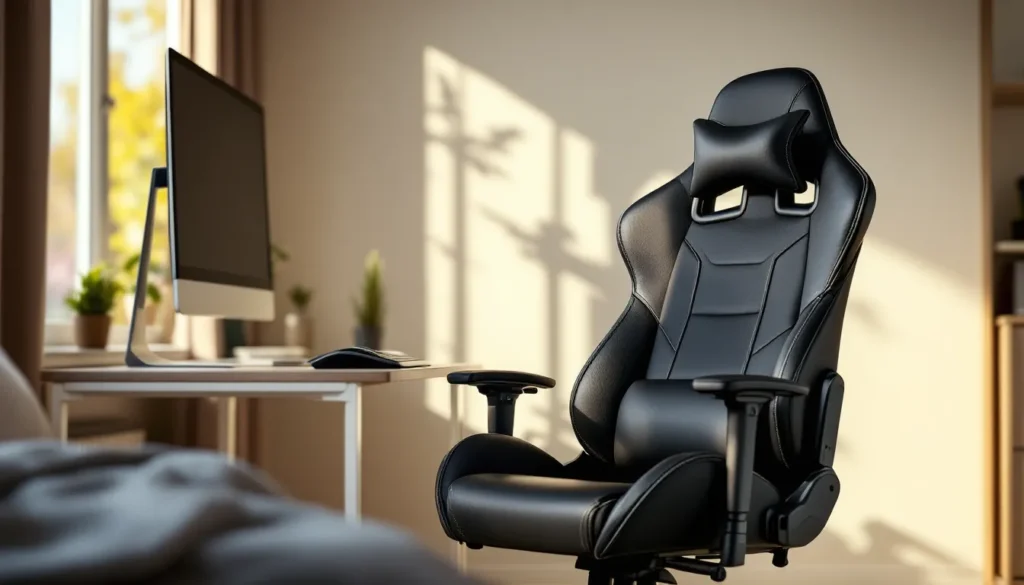
Let’s be real: not everyone can drop $400 on a gaming throne with RGB lighting and massage functions. Whether you’re a college student grinding ranked matches between classes, a casual player who just wants something better than a kitchen chair, or someone building their first setup on a shoestring budget, you don’t need to empty your wallet for decent seating.
The sub-$50 gaming chair market has evolved significantly over the past few years. Manufacturers have figured out how to deliver surprisingly solid ergonomics and build quality at price points that seemed impossible a generation ago. Sure, you won’t get the premium materials or advanced adjustability of high-end models, but you absolutely can find chairs that’ll support proper posture and comfort through marathon sessions without destroying your spine or your bank account.
This guide breaks down everything you need to know about shopping smart in the budget chair market, from the features that actually matter to specific recommendations that punch above their weight class.
Key Takeaways
- A gaming chair under $50 can deliver solid comfort and support through marathon sessions by focusing on essential features like lumbar support, adequate padding, and recline functionality rather than premium materials.
- The most critical features for budget gaming chairs are lumbar support, seat depth, and height adjustment—skip expensive extras like 4D armrests and memory foam unless your specific body type demands them.
- Budget gaming chairs typically last 1–2 years with daily use instead of 5–7 years for premium models, making them practical starter options for students or budget-conscious players.
- Top budget-friendly options like the Homall Gaming Chair, BestOffice PC Gaming Chair, and Flash Furniture Mesh Mid-Back Chair deliver proven comfort and durability at competitive prices.
- Maximize longevity of an affordable gaming chair through simple maintenance (quarterly bolt checks, PU leather cleaning), strategic upgrades like memory foam cushions ($15–20), and avoiding common mistakes like ignoring weight capacity or buying purely on aesthetics.
- Best deals on budget gaming chairs appear during Black Friday, Cyber Monday, and mid-year sales on Amazon, Walmart, and manufacturer websites—using price tracking tools can help you catch drops to $40–50 range.
Why You Don’t Need to Break the Bank for a Quality Gaming Chair
The gaming chair industry has spent years convincing players that premium prices equal premium performance. While there’s some truth to that at the extremes, the reality is more nuanced than marketing teams want you to believe.
Most gamers don’t need the kind of features that drive chairs into the $300+ range. Adjustable lumbar support with memory foam? Nice to have. Essential for a comfortable 3-hour session? Not really. The same goes for 4D armrests, premium leather upholstery, and reinforced steel frames rated for 400+ pounds. These features add real value for specific use cases, but they’re overkill for the average player.
What actually matters for comfort during gaming sessions is surprisingly basic: adequate padding in the seat and backrest, a recline function that lets you shift positions, and a height adjustment that puts your eyes at monitor level. Budget chairs in 2026 nail these fundamentals more consistently than ever before.
The price gap between budget and premium chairs often comes down to brand markup, advanced materials, and longevity rather than day-one comfort. A $50 chair might last 1-2 years with heavy use instead of 5-7 years, but if you’re on a tight budget, getting two years of solid performance for one-eighth the price of a flagship model is a trade-off worth making.
What to Look for When Shopping for Budget Gaming Chairs
Ergonomic Features That Matter Most
When you’re shopping at the $50 price point, you need to prioritize ruthlessly. Forget about the feature checklist on premium chairs and focus on the core ergonomic elements that prevent back pain and fatigue.
Lumbar support is non-negotiable. It doesn’t need to be adjustable or memory foam, a simple curved backrest or included lumbar pillow does the job. Your lower back should feel supported when you sit all the way back, not hanging in space.
Seat depth and width determine whether you’ll be comfortable or constantly adjusting. The seat should be deep enough that your thighs are supported without the edge cutting into the back of your knees. Width-wise, you want a couple inches of space on either side when seated.
Recline function is the difference between a chair you can relax in and one that forces you into a single rigid position. Even a basic tilt mechanism that locks in 2-3 positions gives you options when you’re watching cutscenes or taking a break between matches.
Height adjustment via a gas lift cylinder is standard even on budget chairs now, but verify it has enough range to get your setup ergonomically correct. Your feet should rest flat on the floor with your thighs parallel to the ground.
Materials and Build Quality on a Tight Budget
At this price point, you’re looking at PU leather, mesh, or basic fabric upholstery. Each has trade-offs.
PU leather (polyurethane) is the most common budget material. It looks sleek, wipes clean easily, and mimics the aesthetic of premium chairs. The downside? It doesn’t breathe well, leading to sweaty backs during summer sessions, and it tends to peel or crack after 12-18 months of regular use.
Mesh is the dark horse of budget materials. It’s breathable, doesn’t retain heat, and holds up surprisingly well over time. The catch is that mesh chairs at this price point often sacrifice padding, so comfort during long sessions can suffer.
Fabric upholstery splits the difference, better breathability than PU leather, more padding than mesh. It’s harder to clean when you inevitably spill an energy drink, though.
For the frame, you’re looking at plastic bases and basic metal support structures. That’s fine. What matters is that joints feel solid when you wiggle them and there’s no excessive flex when you shift your weight. Read reviews specifically mentioning durability and assembly quality.
Weight Capacity and Size Considerations
Budget chairs typically rate for 220-250 pounds maximum capacity. If you’re close to or above that range, don’t gamble, the frame and gas cylinder are where manufacturers cut costs, and exceeding the rating leads to catastrophic failure (and potential injury).
Dimensions matter more than people realize. Measure your space before buying. Some racing-style budget chairs have wings and bolsters that look cool but make them too wide for compact desk setups. If you’re working with limited space, prioritize compact designs over aesthetic features you won’t actually benefit from.
Top Gaming Chairs Under $50 Worth Your Money
Best Overall Budget Gaming Chair
The Homall Gaming Chair consistently delivers the best balance of comfort, build quality, and features at the sub-$50 price point. It rocks a racing-style design with decent padding in the seat and backrest, an included lumbar pillow, and a recline function that locks at multiple angles.
The PU leather holds up better than most competitors at this price, and the gas lift cylinder feels stable even after months of use. It’s rated for 300 pounds, which is unusually high for this price bracket. The armrests are fixed (no adjustability), but they’re positioned well for most average-height users.
Availability is solid across major retailers, and it frequently drops below $50 during sales events. Assembly takes about 20 minutes with the included tools.
Best for Small Spaces and Compact Setups
For tight dorm rooms or compact battlestations, the BestOffice PC Gaming Chair strips away the bulk of racing-style designs in favor of a slimmer profile. The backrest is narrower, there are no aggressive side bolsters, and the overall footprint is about 15% smaller than standard budget gaming chairs.
Comfort takes a slight hit, the padding is thinner than the Homall, but it’s still perfectly adequate for 2-3 hour sessions. The mesh backing on some variants adds breathability that PU leather models can’t match. Weight capacity sits at 250 pounds.
This is the chair for players who need to tuck their setup into a corner or frequently move the chair out of the way. The lightweight construction (around 30 pounds) makes it easy to relocate.
Best Mesh Chair for Breathability
If you’re gaming in a hot climate or your setup lacks AC, the Flash Furniture Mesh Mid-Back Chair solves the sweaty-back problem that plagues PU leather models. The full mesh back allows serious airflow, and the seat has just enough padding to stay comfortable without trapping heat.
The trade-off is aesthetics, this looks more like a basic office chair than a gaming throne. No RGB, no racing stripes, no aggressive styling. Just functional seating that keeps you cool. The lumbar support is built into the mesh curve rather than being a separate pillow, which some users actually prefer.
Weight capacity is 250 pounds, and the build quality feels more durable than the price suggests. Professional evaluations from PCMag frequently highlight mesh chairs as the smart choice for extended use, and this model proves why.
Best Racing-Style Budget Option
The GTRacing Gaming Chair occasionally hits the sub-$50 mark during sales (normally priced around $60-70), and when it does, it’s the best racing-style option available. The design mimics high-end racing chairs with pronounced side bolsters, aggressive styling, and a headrest pillow plus to lumbar support.
Padding is thicker than most budget competitors, and the recline goes further back (up to 170 degrees on some variants) for those who like to lean way back during loading screens. The armrests have slight padding, which is rare at this price.
The catch is availability, you need to catch it on sale to hit the $50 threshold. Set up price alerts if this is your top choice. When it’s in stock and discounted, it’s the closest thing to a premium chair experience you’ll find at this budget.
Best for Long Gaming Sessions Under $50
The OFM Essentials Racing Chair prioritizes padding density over flashy features. The seat cushion is noticeably thicker than competing models, using high-density foam that doesn’t bottom out after an hour of sitting. This makes a huge difference during marathon sessions, your tailbone will thank you.
The backrest provides solid lumbar support without needing a separate pillow, and the recline function feels smoother than the clunky mechanisms in some budget chairs. Armrests are basic and non-adjustable, but they’re positioned at a comfortable height for most users.
Build quality leans toward the sturdy end of the budget spectrum. The frame doesn’t creak or flex under normal use, and the gas cylinder has proven reliable in long-term user reviews. Weight capacity is 250 pounds. Gaming hardware experts at Tom’s Hardware often recommend prioritizing padding quality over aesthetic features for extended gaming, and this chair exemplifies that philosophy.
Comparing Features: Budget Gaming Chairs vs. Premium Models
Where Budget Chairs Fall Short
Honesty time: there are real differences between a $50 chair and a $400 flagship model. Understanding these gaps helps set realistic expectations.
Adjustability is the first casualty. Premium chairs offer 4D armrests (height, depth, width, angle), adjustable lumbar support, headrest positioning, and recline tension control. Budget chairs give you height adjustment and maybe a basic recline lock. That’s it. You adapt to the chair rather than the chair adapting to you.
Materials take the next hit. PU leather on budget chairs peels within 1-2 years. Premium models use genuine leather or advanced fabrics that maintain their appearance for 5+ years. Foam density in budget seats compresses faster, reducing comfort as the chair ages.
Longevity is where the price gap shows most clearly. A $50 chair is doing well if it lasts two years of daily use. Premium models routinely survive 7-10 years. The per-year cost can actually favor premium chairs if you’re playing the long game, but that assumes you have $400 upfront (which many gamers don’t).
Weight capacity and frame construction separate budget from premium more than aesthetics. High-end chairs use reinforced steel frames and industrial-grade gas cylinders rated for 400+ pounds. Budget models max out around 250-300 pounds and use lighter-gauge materials that flex under stress.
Surprising Features You Can Still Get Under $50
Even though the limitations, budget chairs have gotten competitive in areas that matter for actual gaming comfort.
Basic ergonomics are solid. You get lumbar support (pillow or built-in curve), decent padding, and recline functions on nearly every model. The fundamentals that prevent back pain and fatigue are present, even if they’re not premium implementations.
Aesthetic design has trickled down. Racing-style looks, color options, and visual appeal that used to be premium-only are now standard on budget chairs. You won’t embarrass yourself on stream with a modern sub-$50 chair visible in frame.
Height adjustment via gas lift is universal. Even the cheapest chairs include this essential feature, and the quality is adequate for most users under the weight limit.
Assembly simplicity is often better on budget chairs than mid-tier models. Fewer moving parts and simpler mechanisms mean less can go wrong during setup. Most budget chairs assemble in 15-30 minutes with included hex keys and clear instructions.
How to Maximize Comfort and Longevity from a Budget Chair
DIY Upgrades and Add-Ons
You can bridge the gap between budget and premium with strategic upgrades that cost less than $20 total.
Memory foam cushions are the single best upgrade. A seat cushion ($15-20) prevents bottoming out on thin padding and significantly extends comfort during long sessions. Look for gel-infused or ventilated memory foam to avoid heat buildup.
Lumbar pillows can be swapped out if the included one doesn’t fit your back. Adjustable-strap lumbar supports ($10-15) let you position support exactly where you need it, mimicking the adjustability of premium chairs.
Armrest covers or DIY padding (foam wrapped in fabric, secured with velcro) transforms hard plastic armrests into something your elbows can rest on comfortably. Total cost: under $5 if you use materials from a craft store.
Rollerblade-style caster wheels ($15-25 for a set) upgrade mobility and protect floors better than stock plastic wheels. They’re especially worth it on hard floors where scratching is a concern.
Proper Maintenance and Care Tips
Budget chairs last longer when you’re proactive about maintenance.
Tighten bolts quarterly. Connections loosen over time, especially at the seat-to-base junction and backrest mounting points. A quick check every few months prevents wobbling and structural failure.
Clean PU leather regularly with a damp cloth and mild soap. Wipe it down monthly to prevent oils and dirt from breaking down the material. When it starts looking dry, a light application of leather conditioner (or even a tiny amount of coconut oil) extends the life of the upholstery.
Avoid max recline angles unless the chair is rated for them. Many budget chairs advertise 170+ degree recline but aren’t structurally reinforced for it. Stick to moderate recline angles (110-130 degrees) to reduce stress on the mechanism.
Distribute weight evenly. Don’t sit on one side of the seat or lean heavily to one side consistently. Budget frames aren’t built to handle uneven loading, and you’ll warp the padding or bend the frame.
Use a chair mat on carpet or hard floors. This reduces rolling resistance, prevents caster damage, and protects your flooring. A basic PVC mat runs $15-20 and pays for itself in floor repair costs avoided.
Common Mistakes to Avoid When Buying Cheap Gaming Chairs
Ignoring weight capacity is the number one failure point. Those ratings aren’t suggestions, they’re structural limits. Exceeding them voids warranties and creates safety risks. If you’re close to the limit, size up or save for a chair with higher capacity.
Buying based on aesthetics alone leads to buyer’s remorse. A chair covered in RGB logos and racing stripes doesn’t mean anything if the padding is terrible and the backrest doesn’t support your spine. Function over form at this price point.
Skipping reviews from actual users is gambling with your money. Manufacturer descriptions are useless, they all claim “ergonomic design” and “premium comfort.” Read reviews that mention durability at 6+ months, assembly issues, and whether the chair actually suits different body types.
Expecting it to last forever sets you up for disappointment. Budget chairs are stopgap solutions or starter options, not lifetime investments. If you use it daily for two years and it’s still functional, you got your money’s worth. Plan accordingly.
Forgetting to measure your desk height and space leads to ordering a chair that doesn’t fit your setup. Measure from floor to the underside of your desk to ensure the armrests (which don’t adjust on most budget models) won’t block you from pulling the chair in close.
Buying the absolute cheapest option is false economy. The difference between a $30 chair and a $50 chair is often the difference between functional and unusable. That extra $20 buys significantly better build quality and comfort. Don’t penny-pinch your way into a chair you hate.
Overlooking return policies when buying online is risky. Chairs are hard to evaluate from descriptions alone. Make sure you can return it within 30 days if it doesn’t work for your body type or setup. Some sellers charge restocking fees on furniture, factor that into your decision.
Alternatives to Traditional Gaming Chairs Under $50
Gaming chairs aren’t the only seating option for gamers on a budget. Depending on your setup and priorities, these alternatives might serve you better.
Office task chairs in the $40-50 range often deliver better ergonomics than gaming-branded models at the same price. They skip the racing aesthetic but focus on actual comfort and lumbar support. Brands like Office Star and AmazonBasics offer solid options that prioritize function.
Floor gaming chairs (rocker-style or bean bag designs) work well for console gamers who play on TV screens at a distance. They’re usually in the $30-50 range and provide surprisingly good back support in a reclined position. Not viable for desk-based PC gaming, but perfect for couch setups.
Folding padded chairs with back support are ultra-portable options for LAN parties or multi-room setups. They lack wheels and height adjustment, but they’re lightweight and storable. Expect to spend $25-40 for models with adequate padding.
Kneeling chairs ($40-60) are an ergonomic wildcard. They force better posture by distributing weight between your shins and seat, reducing lower back strain. They take adjustment time and aren’t suitable for marathon sessions, but some gamers swear by them for focused competitive play.
Exercise ball chairs ($25-35) combine seating with core engagement. The instability forces you to activate core muscles for balance, which some find helps with focus. Others find it distracting. They’re worth trying if you’re curious about active sitting, but they’re divisive. Technology reviewers at TechRadar have noted growing interest in ergonomic alternatives to traditional gaming chairs, particularly among players dealing with back issues.
Where to Find the Best Deals on Budget Gaming Chairs
Amazon dominates the budget chair market with the widest selection and frequent lightning deals. Prime Day, Black Friday, and Cyber Monday typically see chairs in the $60-80 range drop to $40-50. Set up price tracking with tools like CamelCamelCamel to get alerts when your target chair hits your budget.
Walmart competes aggressively on price for budget furniture. Their website often undercuts Amazon by $5-10 on identical models, and in-store pickup saves shipping costs (which can be significant for furniture). Check both online and local store inventory.
Office supply stores (Staples, Office Depot) run sales on task chairs and basic gaming chairs quarterly. Sign up for email lists to catch clearance events. Their in-person return policies are often more lenient than online retailers.
Facebook Marketplace and Craigslist are goldmines for barely-used chairs that someone bought, didn’t like, and wants gone. You can often score chairs originally $80-100 for $30-40 if you’re willing to pick up locally. Inspect carefully for wear and test the gas lift before buying.
Manufacturer direct sales sometimes undercut retailers. Companies like Homall and GTRacing occasionally run sales on their own websites with prices 10-15% below Amazon. The catch is shipping times can be longer.
Refurbished and open-box options at retailers like Best Buy or Amazon Warehouse can drop premium chairs into budget territory. A $150 chair with cosmetic box damage might sell for $50-60. You sacrifice the new condition, but the chair itself is often untouched.
Timing matters. January (post-holiday clearance), July (mid-year sales), and November (Black Friday) are when you’ll find the deepest discounts. If you can wait for a sale window, you’ll stretch your $50 significantly further.
Conclusion
Gaming on a budget doesn’t mean you have to suffer through sessions on a rickety kitchen chair or a hand-me-down office seat from 2003. The sub-$50 market has matured to the point where you can get legitimate comfort and decent build quality if you shop smart and set realistic expectations.
Focus on the fundamentals: lumbar support, adequate padding, and a recline function. Don’t get distracted by aggressive styling or feature lists that don’t impact actual comfort. Read user reviews focusing on durability, measure your space before ordering, and know your weight capacity requirements.
A budget chair won’t last a decade or feel like a luxury throne, but it’ll support your gaming sessions far better than seating that wasn’t designed for extended use. With proper care, strategic upgrades, and reasonable expectations, you can get two solid years of comfort from a $50 investment, and that’s more than enough time to save up for an upgrade when you’re ready.
Your back will thank you for making the switch, and your wallet won’t hate you for it.