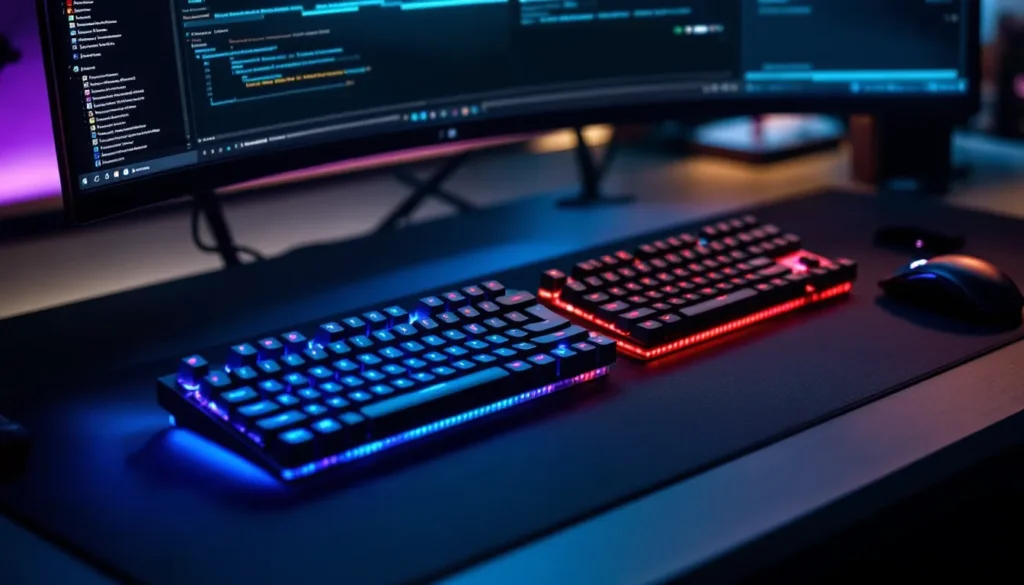
Choosing the right gaming keyboard layout isn’t about aesthetics or RGB lighting, it’s about optimizing your desk real estate, improving reaction time, and matching your peripherals to your playstyle. Whether you’re grinding ranked matches in a tactical shooter, managing complex macros in an MMO, or traveling to LAN tournaments, your keyboard’s physical layout directly impacts how you perform.
The gaming keyboard market in 2026 offers more layout options than ever before, from classic full-size boards to ultra-compact 60% designs. Each configuration brings specific trade-offs in key availability, desk space, and ergonomics. This guide breaks down every major gaming keyboard layout, explains the practical differences that matter in-game, and helps you identify which size and style fits your setup and gaming preferences.
Key Takeaways
- A gaming keyboard layout’s physical arrangement directly impacts mouse clearance, hand positioning, and reaction time, making it a critical performance factor beyond aesthetics.
- TKL (Tenkeyless) keyboards represent the most popular gaming layout, balancing essential functionality with 3-4 inches of width reduction that improves ergonomics and centers your mouse pad.
- Compact 60%, 65%, and 75% gaming keyboard layouts maximize desk space and are favored by competitive FPS players, though they require adaptation and programmable layers to maintain functionality.
- Full-size keyboards remain ideal for MMORPGs and simulation games that require extensive macros or numpad input, but sacrifice the mouse clearance essential for low-sensitivity competitive play.
- Programmable layouts and macro functionality transform compact keyboards into multi-functional devices, allowing 60% boards to match full-size capabilities through smart layer configuration and per-game profiles.
- Your optimal gaming keyboard layout depends on your primary game genres, desk space constraints, and willingness to adapt—measure your setup and track actual key usage before switching layouts.
What Is a Gaming Keyboard Layout?
A gaming keyboard layout refers to the physical arrangement and number of keys on a keyboard, determining its overall size, key placement, and available functionality. The layout defines which keys are present, how they’re positioned relative to each other, and the total footprint the keyboard occupies on your desk.
Keyboard layouts are typically categorized by size as a percentage of a standard full-size keyboard. A full-size (100%) layout includes approximately 104-108 keys depending on region, while smaller form factors progressively remove key clusters to reduce the board’s width and depth.
The layout affects more than just dimensions. It determines whether you have dedicated arrow keys, function rows, navigation clusters (Home, End, Page Up/Page Down), and a number pad. Gaming-focused layouts prioritize frequently-used keys while eliminating or consolidating less essential ones to maximize mouse movement space, a critical factor for low-sensitivity FPS players who need room for wide arm swipes.
Why Your Keyboard Layout Matters for Gaming Performance
The physical layout of your keyboard directly influences three performance factors: mouse clearance, hand positioning, and key accessibility during fast-paced gameplay.
Mouse clearance is paramount for FPS and MOBA players using low DPI settings. A full-size keyboard pushes your mouse hand 4-5 inches farther to the right compared to a TKL or compact layout. This forces an awkward shoulder angle during extended sessions and limits the space available for large mouse movements. Switching to a smaller layout centers your mouse pad, creating a more natural, symmetrical arm position that reduces fatigue and improves tracking consistency.
Key accessibility becomes critical in games requiring quick access to numerous binds. MMO players running 40+ keybinds need strategic layout choices, either sticking with full-size boards for numpad macros or adopting compact layouts with programmable layers. Fast-paced titles like Valorant or Counter-Strike 2 demand instant access to utility keys (numbers, Q, E, F) without hand repositioning, making layout familiarity and muscle memory essential.
Desk space optimization might seem secondary, but it affects peripheral synergy. Many reviews on PCMag emphasize how smaller keyboards allow larger mouse pads and better monitor positioning, creating a more cohesive battlestation that supports your entire gaming workflow rather than cramping it.
Full-Size (100%) Gaming Keyboard Layout
The full-size layout is the traditional keyboard configuration featuring all 104-108 keys, including the alphanumeric cluster, function row, navigation block, and dedicated number pad. It’s the layout most gamers grew up using and remains prevalent in office and productivity environments.
Advantages of Full-Size Layouts
Full-size keyboards excel at versatility. The dedicated number pad provides efficient numeric entry for inventory management in survival games, quick buying in tactical shooters like CS2, and calculator-style inputs in simulation titles. Players who stream or create content benefit from having dedicated media keys and the full navigation cluster for video editing and multitasking between Discord, OBS, and game windows.
Macro potential is another strength. The numpad’s 17 keys offer ready-made macro targets without requiring additional layers or complex key combos. MMO players running games like Final Fantasy XIV or World of Warcraft can bind entire ability rotations to the numpad while keeping core movement keys on WASD.
Full-size boards also feel familiar and require zero adjustment period. Players switching from an old office keyboard to a gaming-grade full-size board maintain all their existing muscle memory and keybind configurations.
Drawbacks and Limitations
The main disadvantage is physical size. Full-size keyboards typically measure 17.5-18.5 inches wide, consuming significant desk space and forcing your mouse farther right than necessary. This extended reach creates an asymmetrical posture that can cause shoulder strain during marathon gaming sessions.
Mouse clearance becomes problematic for low-sensitivity players. Competitive FPS gamers using 400 DPI with low in-game sensitivity need 12-20 inches of horizontal mouse space for 180-degree turns. A full-size keyboard positioned to the left of a standard mouse pad doesn’t leave enough room without awkward keyboard angling.
Portability suffers too. Full-size boards are bulky for LAN events, bootcamps, or travel. Many esports players and tournament attendees prefer compact layouts they can easily pack without sacrificing performance.
Best Gaming Genres for Full-Size Keyboards
Full-size layouts work best for:
- MMORPGs and MOBAs: Games requiring 30+ keybinds benefit from having every key available without layers or function modifiers
- Simulation and strategy games: Microsoft Flight Simulator, Cities: Skylines, and RTS titles leverage the numpad for unit groups, camera controls, and quick commands
- Hybrid work/gaming setups: Players who use the same keyboard for spreadsheets, data entry, and gaming sessions appreciate not switching boards
Tenkeyless (TKL or 80%) Gaming Keyboard Layout
Tenkeyless keyboards remove the number pad while retaining everything else, function row, arrow keys, and the navigation cluster (Insert, Delete, Home, End, Page Up, Page Down). This creates an approximately 80% size board measuring around 14-15 inches wide.
Why TKL Is the Most Popular Gaming Layout
TKL has become the default choice for competitive gaming and esports. Walk through any major tournament and you’ll see TKL boards dominating player stations. The layout strikes an optimal balance: it provides all essential gaming keys while reducing width by 3-4 inches compared to full-size boards.
This width reduction has tangible benefits. It centers your mouse pad, creating a more natural shoulder position and symmetric arm placement. The improved ergonomics reduce fatigue during long practice sessions and tournaments. Many professional players documented on ProSettings use TKL configurations specifically for this mouse clearance advantage.
The layout retains critical functionality. Arrow keys remain accessible for menu navigation, the function row provides F1-F12 for in-game binds and screenshot tools, and the navigation cluster handles document editing and Discord chat without alt-layer workarounds.
TKL boards also dominate the enthusiast keyboard market. Most custom keyboard group buys, premium pre-builts, and aftermarket keycap sets prioritize TKL compatibility, giving gamers access to better switches, stabilizers, and build quality than budget full-size alternatives.
Pros and Cons of TKL Keyboards
Advantages:
- Optimal desk space utilization: 3-4 inches of reclaimed width translates to better mouse pad placement and monitor centering
- Improved ergonomics: Reduced shoulder extension creates a more neutral posture during extended sessions
- Tournament standard: Most esports events provide TKL boards or have space optimized for this form factor
- Full core functionality: Every key needed for gaming, typing, and general PC use remains present
- Broad product selection: More high-end gaming keyboards are available in TKL than any other layout
Disadvantages:
- No dedicated numpad: Numeric entry requires using the number row, slowing data input and calculator-style operations
- Limited macro space: Players who extensively use numpad macros need to rebind or adopt layered solutions
- Still moderately large: For ultra-compact setups or minimalist desks, TKL boards still occupy substantial space
TKL works for nearly every gaming genre. The only scenario where it falls short is when you specifically need rapid numpad input, certain MMO rotations, simulation cockpit controls, or hybrid work tasks requiring frequent numeric entry.
Compact Layouts: 75%, 65%, and 60% Keyboards
Compact layouts push minimalism further than TKL, progressively removing keys and condensing spacing to create ultra-portable, desk-space-efficient boards. These layouts have exploded in popularity among enthusiast gamers and competitive players who prioritize mouse room above all else.
75% Keyboard Layout Explained
The 75% layout is essentially a compressed TKL. It retains the function row, arrow keys, and a minimal navigation cluster but eliminates the gaps between key sections to reduce overall footprint. Most 75% boards measure 12.5-13.5 inches wide, about 1-2 inches narrower than TKL.
The key advantage is maintaining nearly full functionality in a smaller package. You still get F1-F12, dedicated arrows, and typically Delete/Page Up/Page Down keys, just arranged more tightly. This makes 75% layouts ideal for gamers who occasionally need those extra keys but don’t want TKL bulk.
Popular 75% gaming keyboards include the GMMK Pro, Keychron Q1, and Vortex Race 3. The layout has gained traction in the custom keyboard community, offering a sweet spot between compactness and usability.
65% Keyboard Layout Overview
The 65% layout removes the function row entirely while keeping dedicated arrow keys and a few navigation keys (typically Delete and Page Up/Page Down). This creates a board roughly 12-13 inches wide, trimming another inch or more off the 75% footprint.
Gamers adopting 65% layouts must accept using function layers for F1-F12. Most 65% boards map function keys to Fn + number row, requiring a two-key combo instead of single presses. This works fine for infrequent uses (screenshots, Discord mute) but becomes tedious for games that heavily use function keys for abilities or menus.
The arrow keys are the defining feature. Many games use arrows for menu navigation, and certain genres (platformers, rhythm games) rely on them for primary controls. The 65% layout preserves this functionality where 60% boards don’t.
Typical 65% boards include the Drop ALT, Vortex Cypher, and dozens of custom group-buy projects. These keyboards appeal to gamers who want maximum compactness without completely sacrificing arrows and some navigation.
60% Keyboard Layout for Minimalists
The 60% layout is the most aggressive mainstream reduction, featuring only the alphanumeric cluster and modifiers, no function row, no arrows, no navigation cluster, and obviously no numpad. These boards measure approximately 11.5-12 inches wide, providing maximum mouse clearance.
Everything beyond the basic typing keys requires function layers. Arrows typically map to Fn + WASD or Fn + IJKL, function keys to Fn + number row, and navigation to various Fn + key combos. This creates a steep learning curve and requires serious commitment to muscle memory retraining.
Even though these limitations, 60% layouts have a dedicated following among competitive FPS players. The ultra-compact size centers your mouse perfectly and allows aggressive keyboard angling without space constraints. Players who barely use anything beyond WASD, numbers, and a few utility keys find 60% boards liberating rather than limiting.
Classic 60% keyboards include the Anne Pro 2, Ducky One 2 Mini, Vortex Pok3r, and countless custom builds. The form factor dominates the mechanical keyboard enthusiast community and has strong representation in esports, particularly among Valorant, CS2, and Apex Legends players.
Choosing Between Compact Layouts
Selecting the right compact layout depends on which keys you actually use during gaming and daily tasks:
- Choose 75% if you frequently use function keys for in-game actions, Discord hotkeys, or OBS controls and don’t want to deal with layers
- Choose 65% if you rarely touch function keys but need dedicated arrows for menu navigation and specific game genres
- Choose 60% if your gaming is primarily focused on FPS, battle royale, or other genres with minimal keybind requirements and you’re willing to adapt to layers
Testing is valuable. Many gamers assume they’ll adapt to 60% layouts, only to find the missing arrows frustrating for everyday use. Starting with 65% or 75% and downsizing later based on actual usage patterns is often smarter than jumping straight to 60%.
ANSI vs ISO Keyboard Layouts for Gaming
Beyond size percentages, keyboards come in two regional standards: ANSI (American National Standards Institute) and ISO (International Organization for Standardization). These determine key shapes, positions, and the total number of keys present.
Key Differences Between ANSI and ISO
The most visible difference is the Enter key shape. ANSI uses a horizontal rectangle Enter key, while ISO features a vertical, inverted-L shaped Enter that’s larger and occupies space from two rows.
Left Shift size differs significantly. ANSI has a long, uninterrupted left Shift key, while ISO includes an additional key between left Shift and Z (typically grave/tilde or backslash, depending on regional mapping). This makes ISO’s left Shift noticeably shorter.
Key count varies slightly. ISO layouts include one extra key compared to ANSI, the additional key next to left Shift brings ISO boards to 105 keys vs ANSI’s 104 on full-size configurations.
Backslash and tilde placement changes between standards. ANSI places backslash above Enter, while ISO typically positions it next to left Shift, moving tilde/grave to other locations depending on language mapping.
Geographically, ANSI dominates North America and parts of Asia, while ISO is standard across Europe and other regions. Most gaming keyboard manufacturers produce both versions, though ANSI availability is typically broader, especially in the enthusiast and custom keyboard markets.
Which Layout Is Better for Gamers?
For pure gaming performance, ANSI holds advantages. The longer left Shift key is easier to hit consistently during fast-paced action. Many competitive games bind critical actions to Shift (walk, crouch, abilities), and the larger target reduces mispress chances during clutch moments.
ANSI’s horizontal Enter key is less likely to be accidentally hit when reaching for keys like bracket, quote, or backslash during stretched hand positions. The smaller ISO Enter occasionally causes typos or mistaken presses.
Keycap availability strongly favors ANSI. Premium keycap sets, custom artisan keys, and aftermarket upgrades predominantly support ANSI layouts. ISO-compatible sets exist but cost more and have limited color/style options. Gamers who enjoy customizing their boards find ANSI more flexible.
But, if you’re already accustomed to ISO and type in a language that benefits from the layout’s additional key and specific symbol placements, switching to ANSI purely for gaming may cause more problems than it solves. Muscle memory is powerful, and retraining your typing for a marginal gaming advantage isn’t worth it for most players.
The recommendation: stick with whichever standard matches your region and existing muscle memory unless you’re building a dedicated gaming-only board and starting fresh with keybind configurations.
Ergonomic and Split Keyboard Layouts for Gaming
Ergonomic and split keyboard layouts challenge the traditional staggered-row design, prioritizing long-term hand health and natural wrist positioning over conventional layouts. These boards are less common in competitive gaming but deserve consideration for players dealing with wrist pain, RSI, or extended daily gaming sessions.
Split keyboards physically separate the left and right key clusters, allowing users to position each half at shoulder width for neutral arm placement. Popular gaming-compatible options include the Kinesis Freestyle Edge RGB, Mistel Barocco, and Keebio Iris. These boards eliminate the wrist pronation (rotation) required by standard keyboards, reducing strain during extended use.
Ortholinear layouts replace the traditional staggered key columns with a perfect grid pattern, where keys align vertically rather than offset. This design minimizes finger travel distance and creates more consistent finger movements. Boards like the Planck and Preonic offer compact ortholinear configurations, though they require significant retraining and adjustment.
The gaming viability of ergonomic layouts depends heavily on genre and adaptability. Split keyboards work reasonably well for most gaming styles once you’ve adjusted, though some players find the physical gap between halves disorienting for quick WASD-to-number transitions. Ortholinear layouts have a steeper learning curve and may never feel natural for fast-paced competitive titles.
There’s also limited product selection. Gaming-focused ergonomic keyboards with high polling rates, premium switches, and low latency are rare compared to the hundreds of standard layout options. According to detailed guides on How-To Geek, most ergonomic boards prioritize typing comfort over gaming-specific features like N-key rollover or sub-1ms response times.
These layouts make sense for specific use cases: streamers and content creators who spend 8+ hours daily at their PC, older gamers managing repetitive strain injuries, or players who value long-term hand health over optimal competitive performance. For pure gaming performance in ranked and esports contexts, traditional layouts still dominate.
Custom Key Mapping and Programmable Layouts
Modern gaming keyboards increasingly offer programmable layouts and full key remapping through onboard memory or companion software. This functionality transforms physical layout limitations into opportunities for customization, allowing players to optimize smaller boards for complex gaming needs.
Programmable layers let you assign multiple functions to a single key depending on which layer is active. A 60% keyboard might use the default layer for standard typing, then activate a gaming layer via a toggle key that remaps Fn + WASD to arrow keys, Fn + number row to F1-F12, and Fn + IJKL to media controls. High-end boards support 3-5+ layers, essentially giving you multiple keyboard personalities in one physical device.
Macro programming allows recording complex key sequences and binding them to single keys. MMO players can program entire ability rotations, combo sequences, or chat commands. Survival game builders can macro repetitive crafting actions. Software like Razer Synapse, Logitech G Hub, Corsair iCUE, and open-source tools like QMK/VIA provide varying levels of macro sophistication.
Per-game profiles automatically switch keybinds when launching specific applications. Your keyboard can load FPS-optimized binds for Valorant, switch to MMO macros when opening Lost Ark, and revert to productivity shortcuts for Discord and browsers. This eliminates manual profile switching and ensures your layout always matches your current activity.
Key remapping at the firmware level overrides Windows key assignments, allowing true customization. You can swap Caps Lock with Ctrl for ergonomic benefits, move Delete to a more accessible position, or completely restructure modifier keys to match personal preferences.
The programming depth varies significantly between manufacturers. Enthusiast keyboards running QMK firmware offer unlimited customization and open-source flexibility. Mainstream gaming brands like Razer, Logitech, and Corsair provide user-friendly software with good macro support but less granular control. Budget boards often include basic remapping but lack advanced features like layers or complex macros.
For gamers considering compact layouts, programmability is essential. A well-configured 65% keyboard with smart layering can match or exceed the functionality of a full-size board while maintaining the compact footprint. The time investment in setup pays off through personalized efficiency and seamless transitions between gaming, typing, and productivity tasks.
How to Choose the Right Gaming Keyboard Layout
Selecting the optimal keyboard layout requires assessing your specific gaming habits, physical setup constraints, and long-term usage patterns. There’s no universal “best” layout, only the best layout for your particular circumstances.
Consider Your Gaming Genre and Playstyle
Your primary gaming genres should drive layout selection:
- FPS and Battle Royale (Valorant, CS2, Apex Legends, Warzone): TKL or smaller layouts maximize mouse space for low-sensitivity aiming. Core keybinds rarely exceed 20-25 keys (WASD, numbers, QEF, Ctrl, Shift, utility keys), making compact configurations ideal.
- MOBA and RTS (League of Legends, Dota 2, StarCraft II): TKL strikes the best balance. These genres need quick access to 1-7 for abilities/items plus modifier keys but don’t typically require numpads. Pairing a compact board with precision gaming peripherals optimizes the full battlestation.
- MMORPGs (FFXIV, WoW, Guild Wars 2): Full-size or TKL with extensive macro programming. Classes with 40+ abilities benefit from numpad macros, though advanced players often manage everything on TKL using layered binds and mouse buttons.
- Simulation and Strategy (Flight Sim, Euro Truck, Civilization): Full-size layouts provide the function keys and numpad these genres leverage for camera controls, unit groups, and numeric inputs.
Assess how many unique keybinds you actively use. Many gamers think they need more keys than they actually press. Track your gameplay and identify which keys you touch frequently versus which sit unused, you might find 60% provides everything necessary.
Evaluate Your Desk Space and Setup
Physical workspace constraints often dictate layout choices. Measure your desk width and existing peripheral arrangement:
- Small desks (40-48 inches wide): Compact layouts (60-75%) prevent cramping and allow proper monitor and mouse pad placement
- Medium desks (50-60 inches): TKL provides the sweet spot without space concerns
- Large desks (60+ inches): Any layout works: choose based on preference rather than space limitations
Consider your mouse sensitivity and required pad space. Low-sensitivity players using 400 DPI and moving their entire arm for large flicks need 15-20 inches of horizontal clearance. Calculate backward from your mouse pad size to determine maximum keyboard width.
Monitor arrangement matters too. Triple monitor setups or ultra-wide displays benefit from centering your keyboard directly below your main viewing area. Compact layouts make this positioning easier without forcing awkward mouse placement.
Think About Portability Needs
If you attend LAN events, travel frequently, or move your setup between locations, portability becomes critical:
- 60-65% boards fit in backpacks alongside laptops and don’t require dedicated carrying cases
- TKL keyboards are manageable for occasional transport but need protective sleeves
- Full-size layouts are bulky and awkward for regular travel, requiring hard-shell cases
Many competitive players maintain two keyboards: a compact board for tournaments and travel, plus a full-size or TKL for home use. This provides flexibility without compromising either scenario.
Finally, consider your adaptability and willingness to relearn muscle memory. Switching from full-size to 60% requires weeks of adjustment and temporary performance dips. If you’re mid-season in competitive play or grinding ranked heavily, time your layout change during off-seasons or breaks to minimize the impact on your rank and performance.
Conclusion
Gaming keyboard layouts have evolved far beyond one-size-fits-all solutions. The right layout depends on your specific gaming genres, desk constraints, and how you balance performance optimization with everyday usability.
TKL layouts deliver the best all-around package for most gamers, retaining full functionality while creating crucial mouse clearance. Compact 60-75% options push desk space efficiency further, demanding adaptation but rewarding dedicated players with optimized ergonomics. Full-size boards remain viable for MMO players, simulation enthusiasts, and anyone whose setup priorities lean toward maximum key availability over spatial minimalism.
The keyboard layout you choose becomes part of your muscle memory and gaming identity. Take time to assess actual key usage, measure your desk space, and honestly evaluate which keys you need versus which you simply tolerate. In 2026’s diverse keyboard landscape, there’s a layout that fits your exact requirements, you just need to identify which trade-offs align with your gaming reality.